JigTAK
JigTAK
The live map of every site.
JigTAK puts each job site on a map that knows who is on site, where the hazards are drawn and what changed today, and rolls every site up to one company view. It's in every seat, at no extra cost.
Every project site, on one map
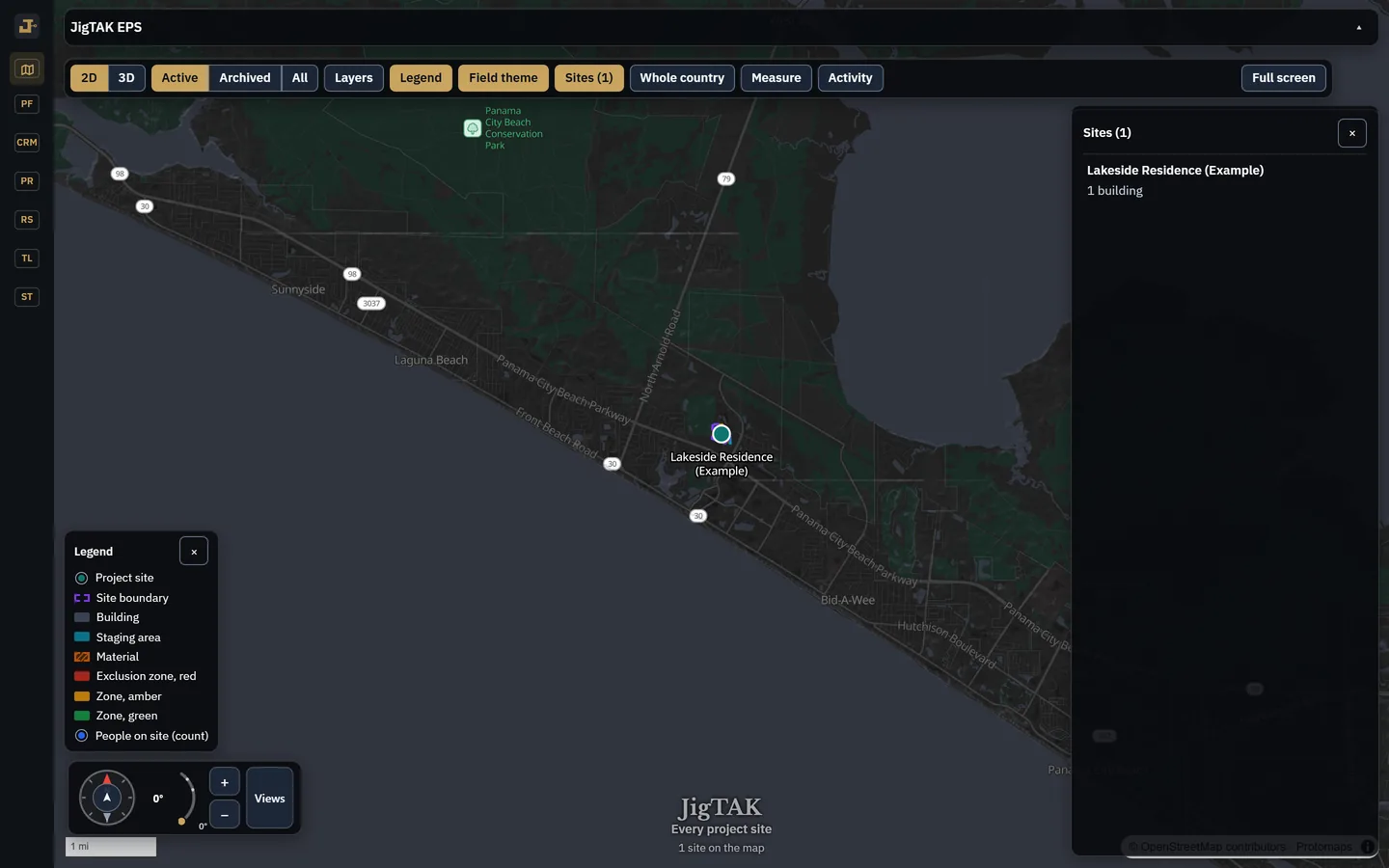
Every active site is a pin colored by its Alert Condition, with who is on site and any open alert. Tap a site to open it.
Draw the site plan
Start from a library of 63 site presets (crane swing radius, overhead power line, laydown yard, haul road, exclusion zones, SWPPP features, locate marks in the APWA colors) or draw your own. Import GeoJSON, KML, GPX or survey points in State Plane or UTM, and print a site plan PDF with a legend, scale bar and north arrow.

Measure anything
Distance, area, radius, bearing and grade, or the distance from a person or tracker to the edge of a zone. The readout shows only the precision the points actually support.

Turn the site in 3D
Tilt and turn with terrain and building massing, and save views like “From the crane” for the whole team.

Site chat and broadcasts
A chat for each site, for your company's people and anyone checked in on site, with photos and @mentions. Messages are kept with the project record. Send one broadcast to a site's crew.

SITREP and the Alert Condition
One panel for the site's status: open alerts, who's on site, utilities, weather and field reports, rolled into a single condition.

Watched zones and alerts
Mark any area or line to be watched. When a phone, tracker or tag enters it, Jig raises an alert to the supervisors you choose, and to the person where their device allows, and records every step of it.
Field reports
Report a hazard or an issue from the site, with photos, named and time-stamped.
Close-up aerial imagery
Close-up aerial imagery across the lower 48, from USDA NAIP and the state programs of Ohio and Connecticut (CT ECO). Each picture names its source and year.
Trackers, wearables and tags
Find equipment from its tracker, and see wearables and tags on the map. The software is in every seat. JigTAK devices: pilot program, by request.
What JigTAK never does
It tracks no one who isn't checked in, stops when they check out, and doesn't sell location data.
By invitation
Tell us what you build, and we'll show you the job.
Access is by invitation. Request access: it takes a minute, and a person reads every one.
Already invited? Sign in from the link in your invitation email. New here? Request access and we'll send one.